
Tools
Vorb VPN
Free VPN in one tap: servers in Japan, South Korea and Thailand. No account, no sign-up.
View app Get it onGoogle Play
Compress a PDF to the exact size you need, scan documents, fill in and sign forms, and edit pages. No account needed.
Get it onGoogle Play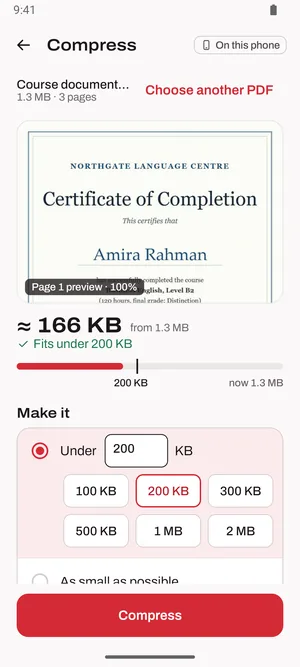
Vorb PDF compresses a PDF to the exact size you need, such as 200 KB or 100 KB for an upload form, and shows the real size before you save. It's also a document scanner, a PDF editor, a fill and sign tool and a PDF reader, and it converts Word, Excel and PowerPoint files to PDF. No account and no sign-up: every tool except Convert runs on your phone.
Everything Vorb PDF does, at a glance.
Pick 100 KB, 200 KB, 300 KB, 500 KB, 1 MB or 2 MB, or type any size from 20 KB up. See the result and a page preview before you save, so the PDF fits the upload form.
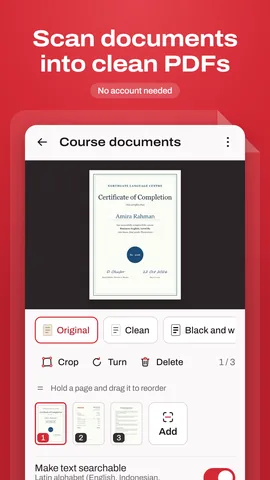
Scan documents to PDF with automatic edges and crop, then choose Original, Clean or Black and white. Photo to PDF turns JPG and other pictures into one PDF.
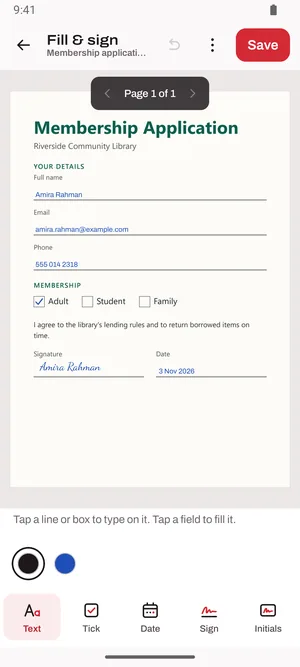
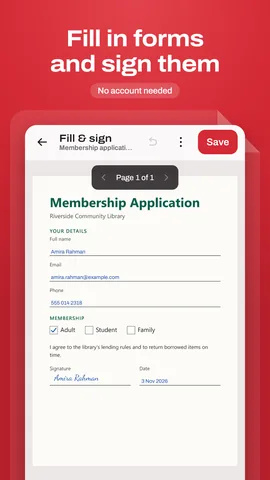
Type on any line, tick boxes, add the date and fill in the fields of PDF forms. Sign with a signature you draw, type or photograph; it's kept encrypted on your phone.
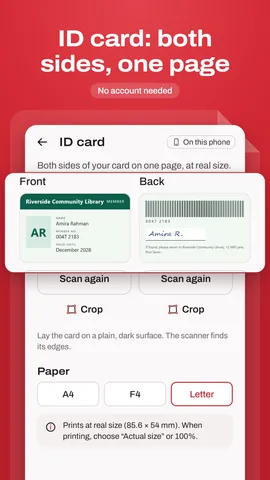
The front and back of an ID card on one page, at real size, on A4, F4 or Letter paper.
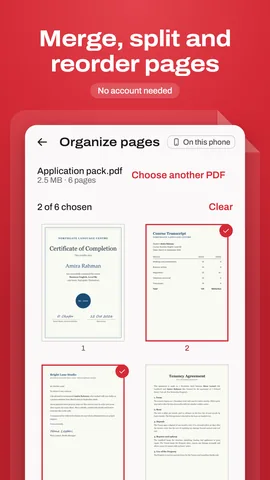
Merge and split PDFs; reorder, rotate, copy or delete pages; edit text, highlight and add notes; add page numbers or your own watermark; black out names and numbers for good.
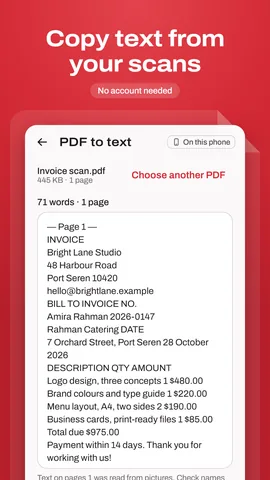
Make scans searchable and copy their text, read on your phone in many languages. Or save a PDF as JPG and PNG pictures or as text.
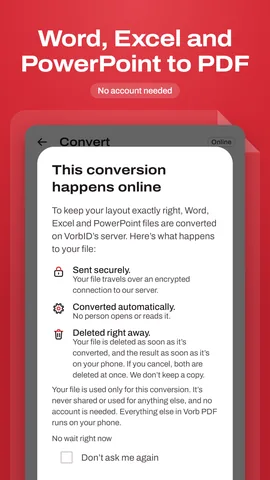
And PDF to Word or Excel. Convert is the one tool that works online: the app asks first, sends the file over an encrypted connection and deletes it from our server right after.
Every other tool runs on your phone and works offline. Your original file is never changed: every tool saves a new copy in Documents/Vorb PDF or Pictures/Vorb PDF.
Swipe through Vorb PDF on Android.
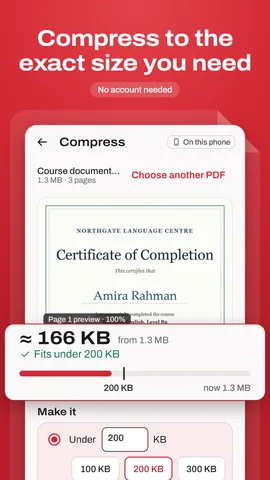
Yes. Pick 100 KB, 200 KB, 300 KB, 500 KB, 1 MB or 2 MB, or type any size from 20 KB up. Vorb PDF shows the real size and a page preview before you save. If a PDF can't get under the size you picked, it shows how far over it is; black and white makes scanned pages even smaller.
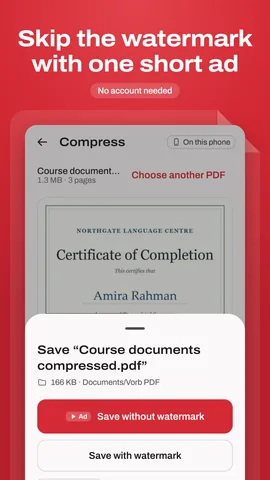
Yes. Every tool is free, with no subscription and no trial. Ads keep it free, and there are none in the reader, the scanner, the editor or fill and sign. Free saves carry a small "Made with Vorb PDF" line: watch one short ad to save without it, and if no ad loads, the file is saved without the line anyway. Vorb PDF Pro is a single purchase: no ads and no watermark, for good.
Only when you use Convert (Word, Excel and PowerPoint to PDF, or PDF to Word or Excel). The app asks first, sends the file over an encrypted connection and deletes it from our server right after it's converted. Every other tool runs on your phone and works offline. Google's scanner and some text languages download once, the first time you use them.
No. Every tool saves a new copy, in Documents/Vorb PDF or Pictures/Vorb PDF, and your original stays as it is.
Yes. Draw your signature, type it, or photograph it on paper, then place it on the page. Your signature is kept encrypted on your phone.
Files up to 50 MB, 20 conversions a day, or 100 a day with Pro.
No. There's no sign-up and no login.
English, العربية, বাংলা, Dansk, Deutsch, Español, فارسی, Français, हिन्दी, Bahasa Indonesia, 日本語, Bahasa Melayu, Nederlands, Polski, Português (Brasil), Русский, Türkçe and اردو.
From VorbID: simple apps that each do one job well.
Free VPN in one tap: servers in Japan, South Korea and Thailand. No account, no sign-up.

Convert 160+ currencies, Bitcoin and the top 100 coins, with a calculator built in.

Accurate prayer times, an adhan that always plays on time, Qibla, the Hijri calendar and stories from the hadith.